
Mint Tokens (without dApp)

How to Mint Swap Token and Principal Token using an atomic EIP-5792 capable wallet

Provide cover by depositing collateral assets into a Cork Pool to mint shares of Cork Principal Token (cPT) and Cork Swap Token (cST), without using our dApp.

This "Mint" operation on Cork:

  • deposits Collateral Asset into one of many Cork Pools

  • mints share tokens (i.e. increases circulating supply of cPT & cST tokens of that Cork Pool)


How to Mint Shares of a Cork Pool via an Escrowed Deposit

circle-info

You will be performing a trust-minimized escrowed operation. This is enforced by our escrow smart contract (CorkAdapter) to ensure that the end-user's desired intent is fulfilled properly with the expected outcomes. A deadline also ensures that your tokens are never stuck in an inconsistent state.

Prerequisites:


circle-info

The instructions below are prepared using SAFE Wallet by SAFE Labs (safe.global), but also applies to any atomic EIP-5792arrow-up-right capable wallet.

Step 1: Open your Wallet's Transaction Builder

Before we begin, check that you’re using the latest version of your browser by visiting whatismybrowser.comarrow-up-right. If it’s not up to date, please update your browser to the latest version before continuing.

Open the SAFE Wallet's Transaction Builder using this link: https://app.safe.global/share/safe-app?appUrl=https%3A%2F%2Fapps-portal.safe.global%2Ftx-builderarrow-up-right

chevron-rightAlternatively, you may navigate to the Transaction Builder by following these steps:hashtag
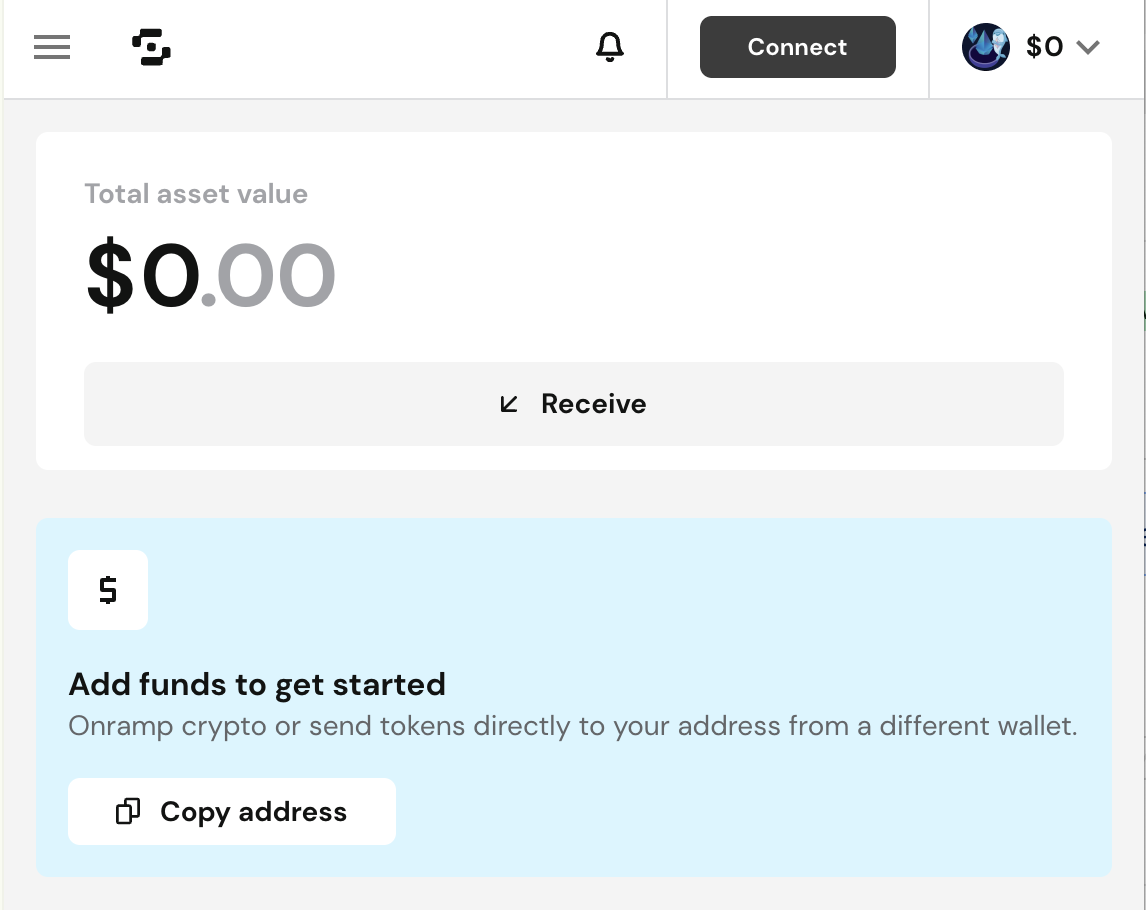
SAFE Wallet Connect Button
a. Press [Connect]
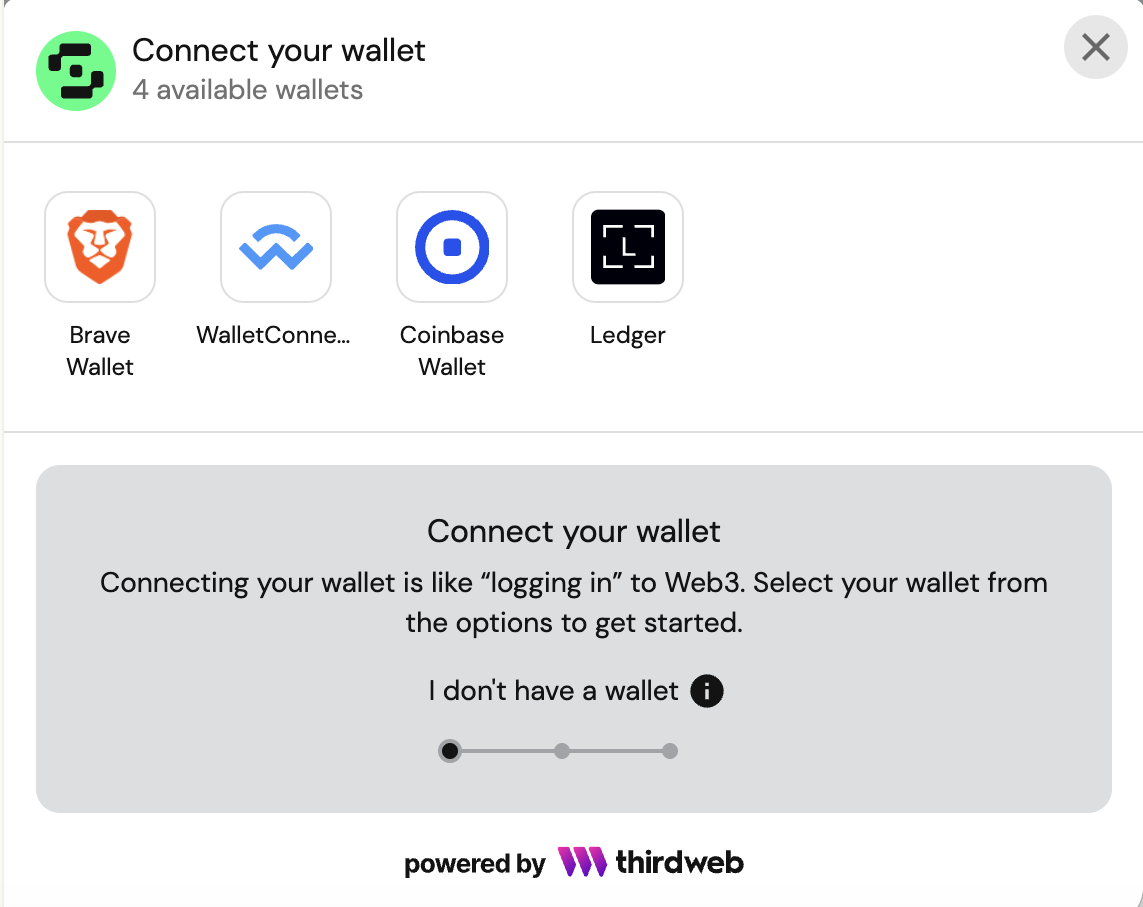
SAFE's Connect Wallet Modal Window
b. Select your wallet
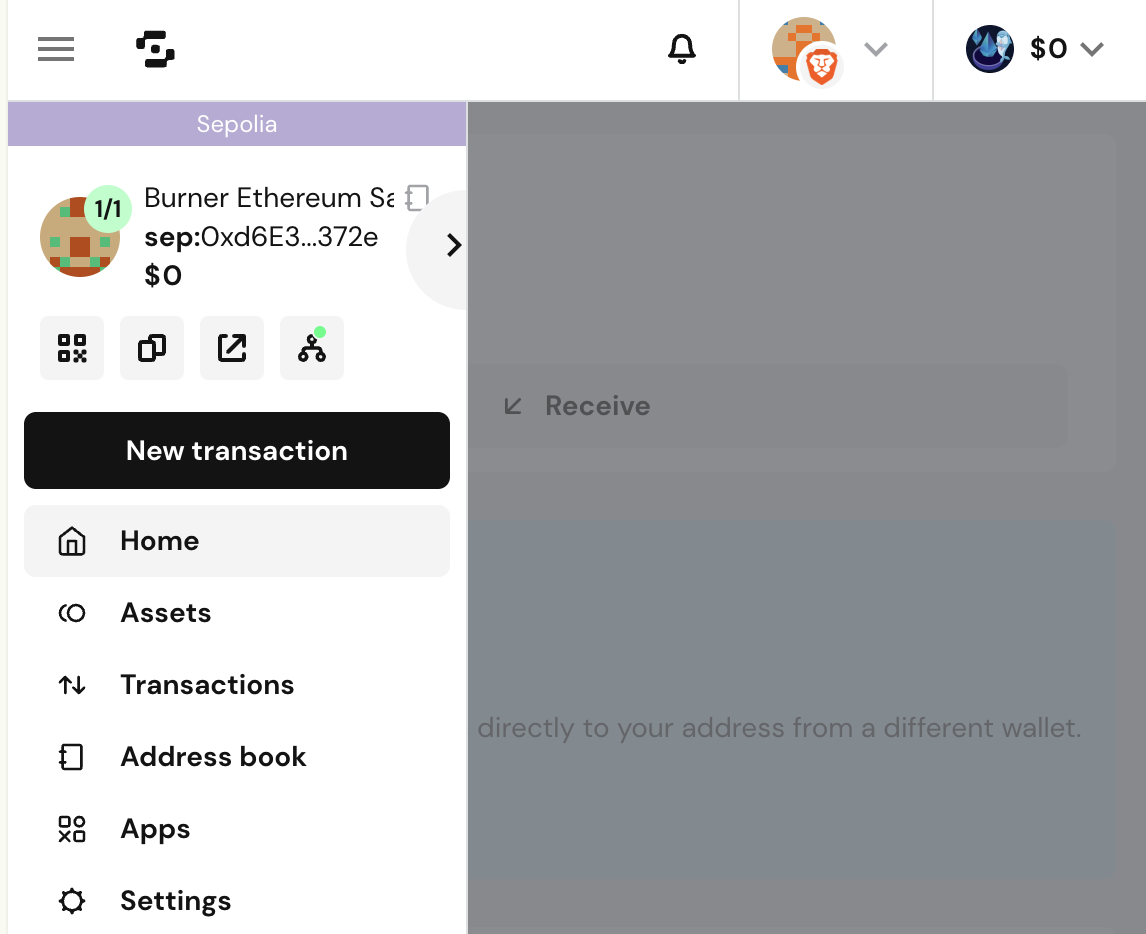
SAFE Wallet Sidebar
c. Press the [☰] hamburger button (if you do not see the sidebar), and select [New transaction].
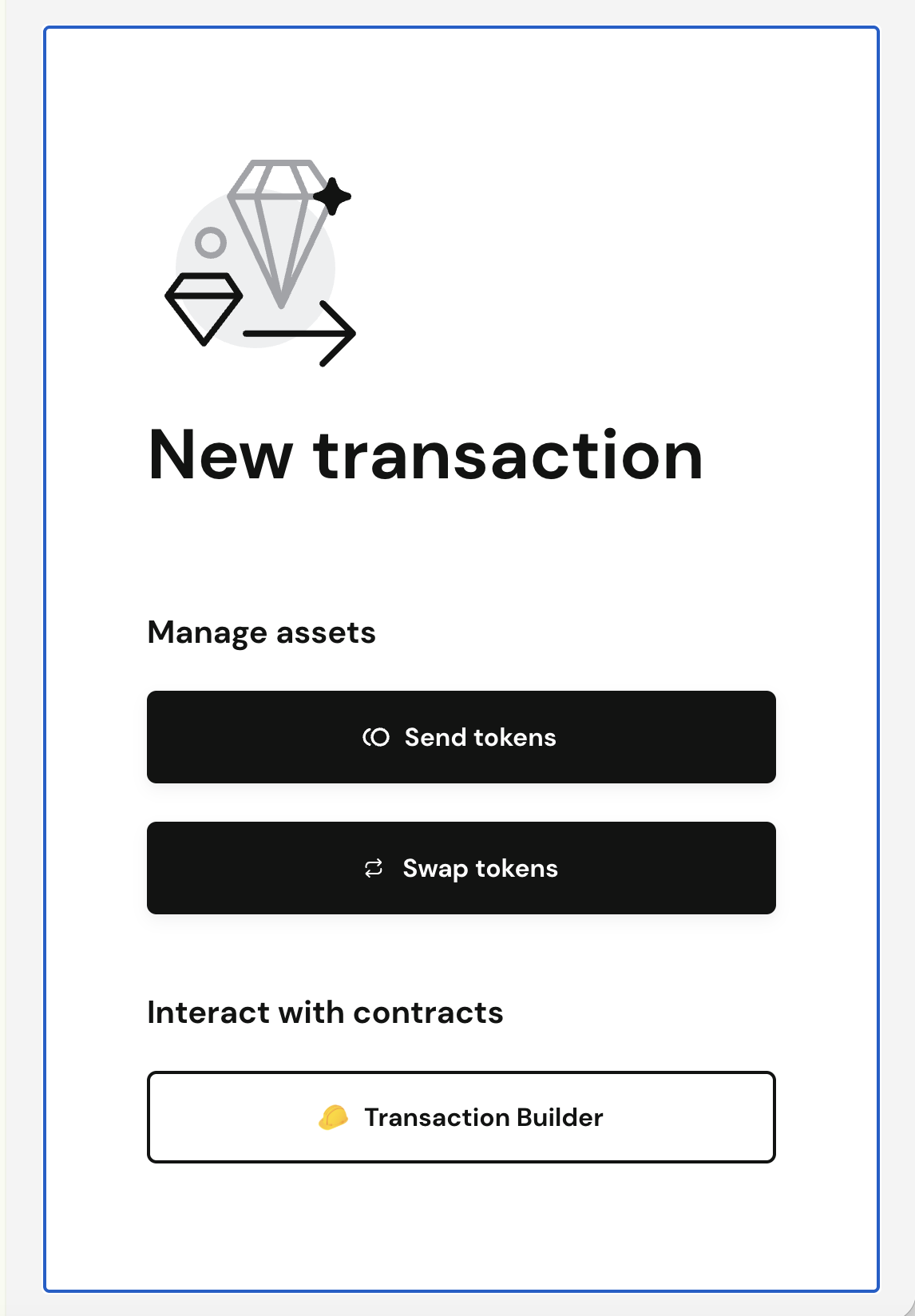
SAFE Wallet New Transaction Modal
d. Select [Transaction Builder].

Step 2: Add Transaction #1 – Transfer Collateral Assets to the Escrow Contract
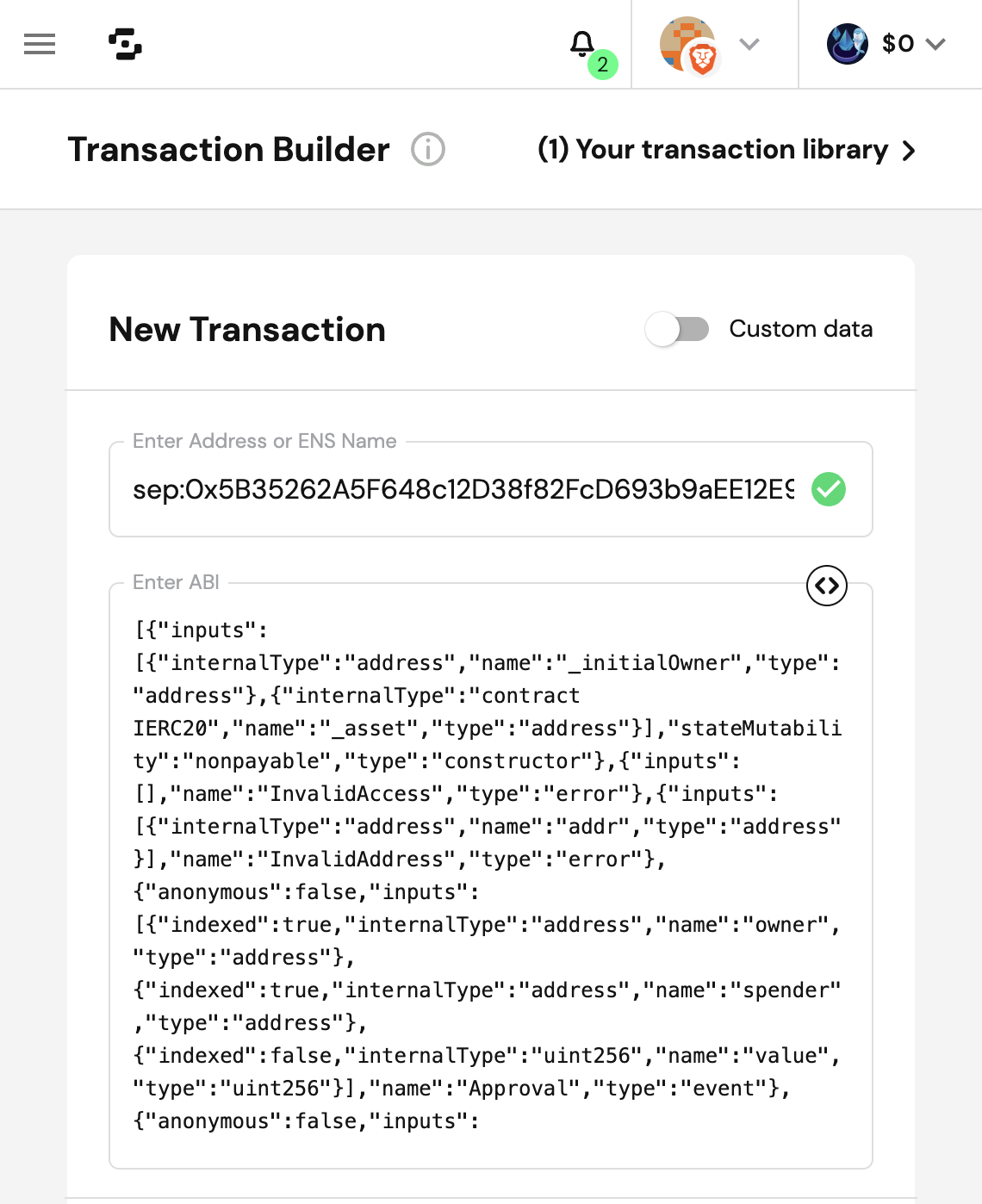
Add the 1st transaction to transfer collateral assets into our trust-minimized escrow manager contract (CorkAdapter):

  • Enter Address: eth:<ERC20 token address of Collateral Asset>

  • To Address: <ERC20 token address of Collateral Asset>

  • Contract Method Selector: transfer

    • to (escrow address): 0xCCcCcCCCcccCBaD6F772a511B337d9CCc9570407

    • amount (of collateral): <wei amount of collateral asset to transfer/deposit>

chevron-rightHow to obtain ERC20 token address of Collateral Assethashtag

The Collateral asset (CA) address and Reference asset (REF) address may be obtained by calling CorkPoolManager.assets(poolId) with the Cork Pool id, via either:

  • Etherscan (Closed source): Linkarrow-up-right

  • Blockscout (Open source): Linkarrow-up-right

  • Foundry Command Line:

    • cast call 0xccCCcCcCCccCfAE2Ee43F0E727A8c2969d74B9eC "assets(bytes32)(address collateralAsset, address referenceAsset)" <POOL_ID> --rpc-url https://eth.drpc.org

By following these instructions:

1

Enter ERC20 Address of Collateral Asset

Input the Collateral Asset's ERC20 address & ABI as shown below.

  • Enter Address: eth:<ERC20 token address of Collateral Asset>

  • Enter ABI: If the ABI does not load automatically, copy and paste the ABI from herearrow-up-right.

Input ERC20 token address
2

Calculate the deposit amount in wei

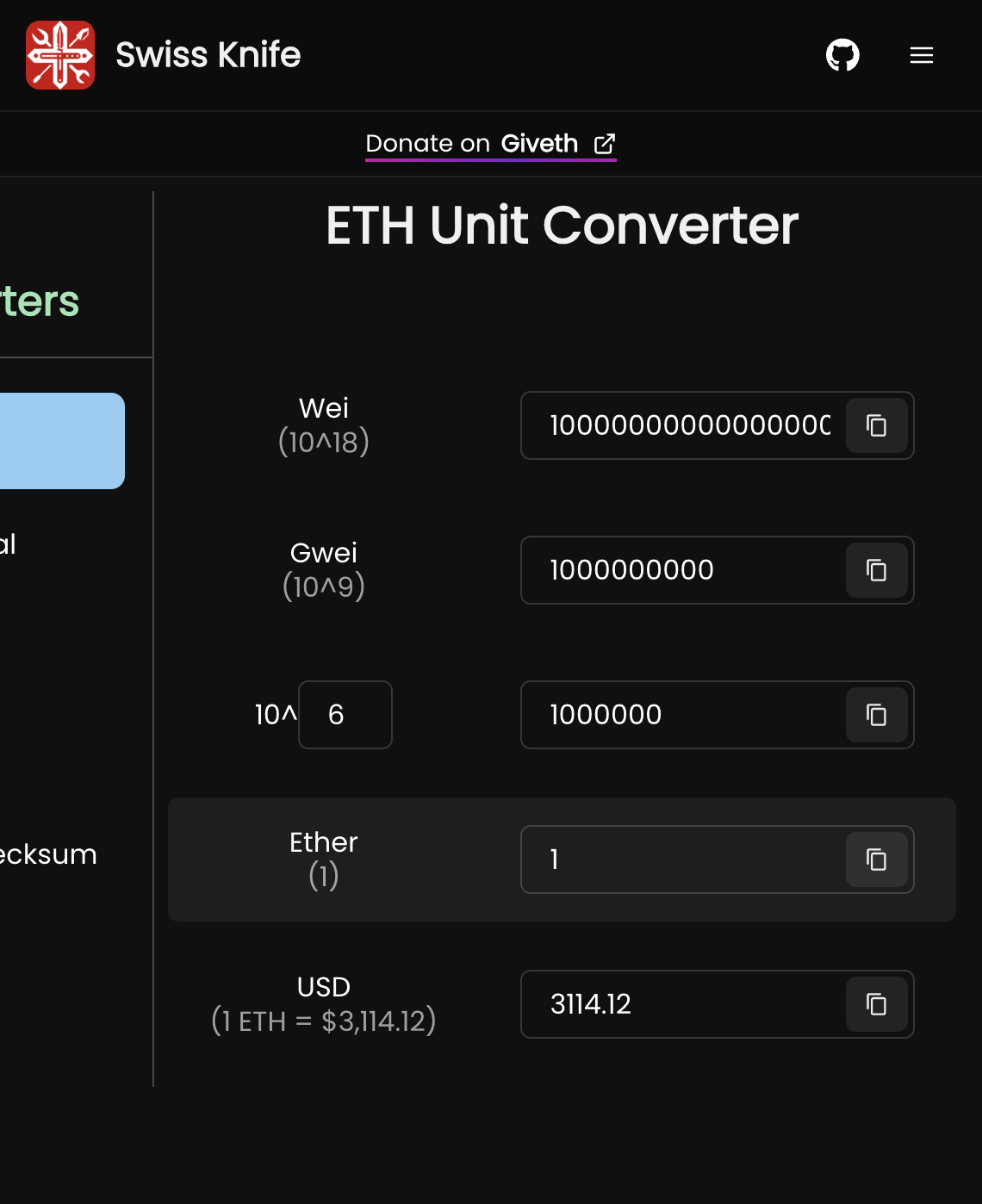
To calculate the right wei-amount of collateral asset (CA), first obtain the token decimals of the collateral asset from its ERC20 contract address, then multiply your amount by 10^(erc20_decimal_of_CA).

For example, 10 USDC (which has 6 decimals) is represented as 10×10610 \times 10^{6} , which is 10 000 000 in wei-amount.

Use a unit converter that allows you to adjust the token decimals, such as: https://converter.swiss-knife.xyz/etharrow-up-right

Input the amount under "Ether", adjust the decimals of "10^6", then press [Copy] button to its right.
3

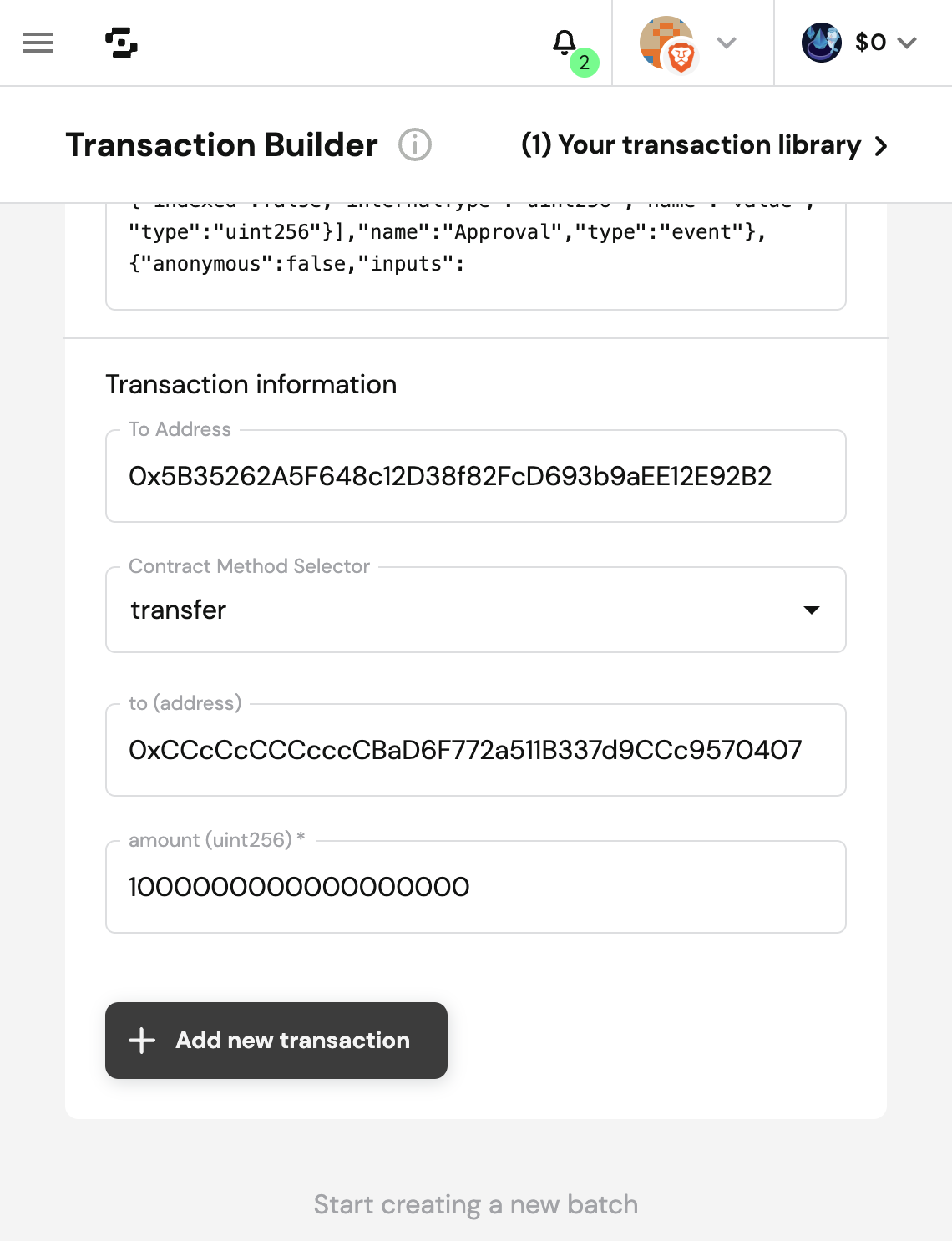
Input Transaction #1 Details

  • To Address: <ERC20 token address of Collateral Asset>

  • Contract Method Selector: transfer

  • to (address): 0xCCcCcCCCcccCBaD6F772a511B337d9CCc9570407

  • amount (uint256): <wei amount of collateral asset to transfer/deposit copied from above>

Input transaction details under Transaction Information
4

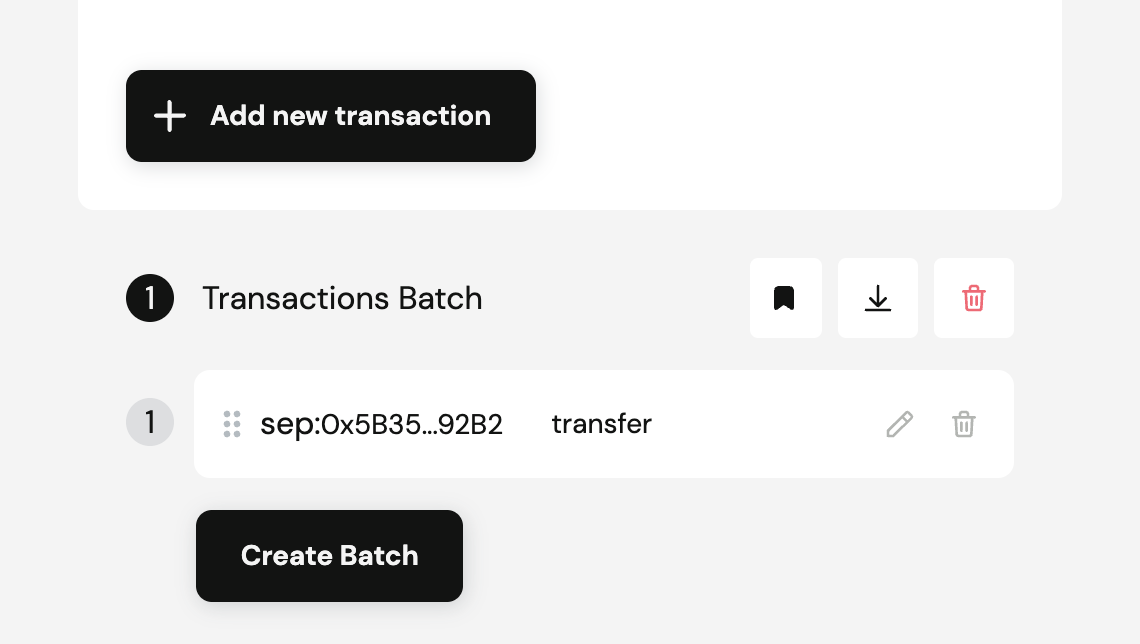
Append Transaction #1

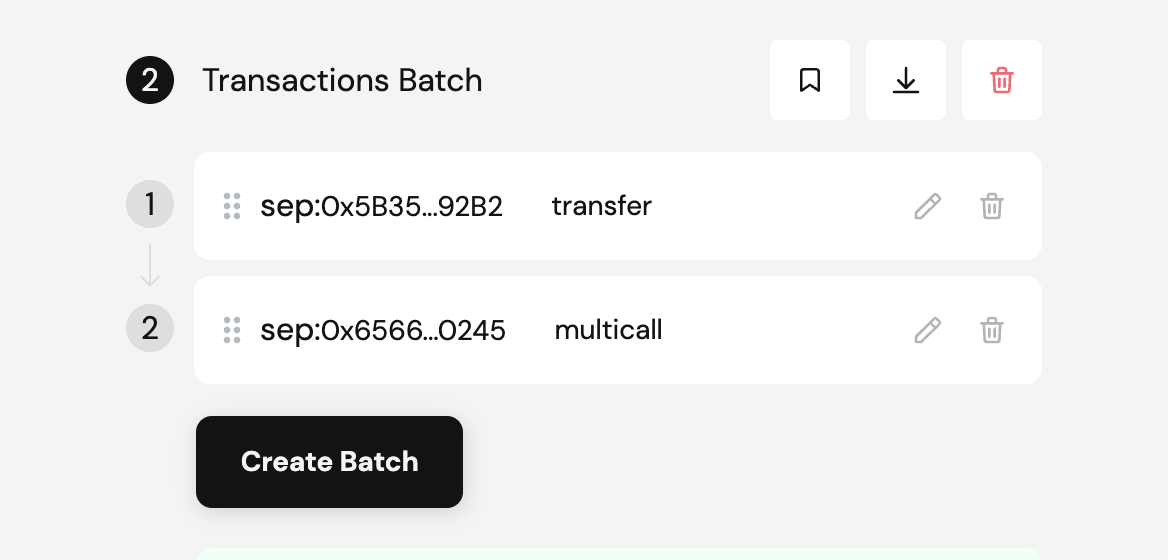
Press [+ Add new transaction] and verify that transaction #1 has been added to the Transactions Batch.

Press [Add new transaction]

Step 3: Add Transaction #2 – Request a Deposit/Mint with escrowed assets
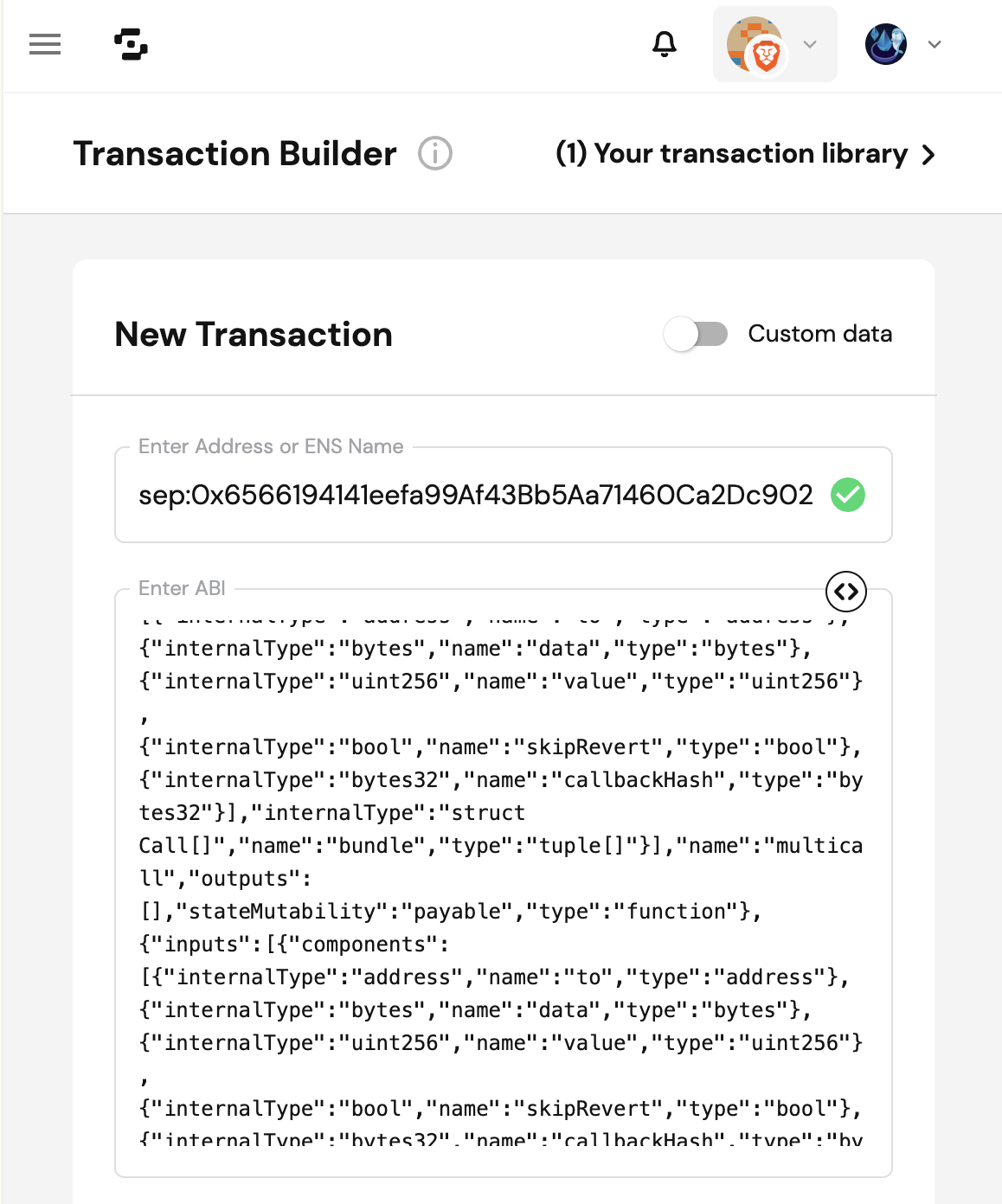
Add the 2nd transaction to mint cPT (Cork Principal Token) and cST (Cork Swap Token) by depositing escrowed collateral assets into a Cork Pool:

  • Enter Address: eth:0x6566194141eefa99Af43Bb5Aa71460Ca2Dc90245

  • Enter ABI: Copied from herearrow-up-right

  • To Address: 0x6566194141eefa99Af43Bb5Aa71460Ca2Dc90245

  • ETH value: 0

  • Contract Method Selector: multicall

    • bundle: [[comma separated values as below within double square brackets...]]

      • "0xCCcCcCCCcccCBaD6F772a511B337d9CCc9570407",

        • The to address is the call target, which is the escrow contract address

      • "<calldata>",

      • "0",

        • The value is the wei amount of ETH or native token to forward. Set to 0 (none) in this case.

      • false,

        • If skipRevert is true, other planned calls will continue executing even if this call reverts. To protect escrowed funds, we must also revert the transfer-to-escrow if the deposit fails.

      • "0x0"

        • The callbackHash should be set to the hash of the reenter bundle data. Set to 0x0 (none) in this case.

chevron-rightShow me an example of bundle:hashtag

By following these instructions:

1

Enter Address of Bundler3 contract

circle-info

A Bundler contract is analogous to a Router contract, with the added guarantee that each step of the execution is explicitly defined rather than implicit.

This reduces the need to absolutely verify and place trust in esoteric code when interacting with smart contracts.

By ensuring that each step is verifiable by a mainstream enduser and his wallet, this system achieves greater end-to-end transparency and security.

Input the Bundler3 contract addressarrow-up-right & ABI as shown below.

  • Enter Address: eth:0x6566194141eefa99Af43Bb5Aa71460Ca2Dc90245

  • Enter ABI: If the ABI does not load automatically, copy and paste the ABI from herearrow-up-right.

Input Bundler3 contract address
2

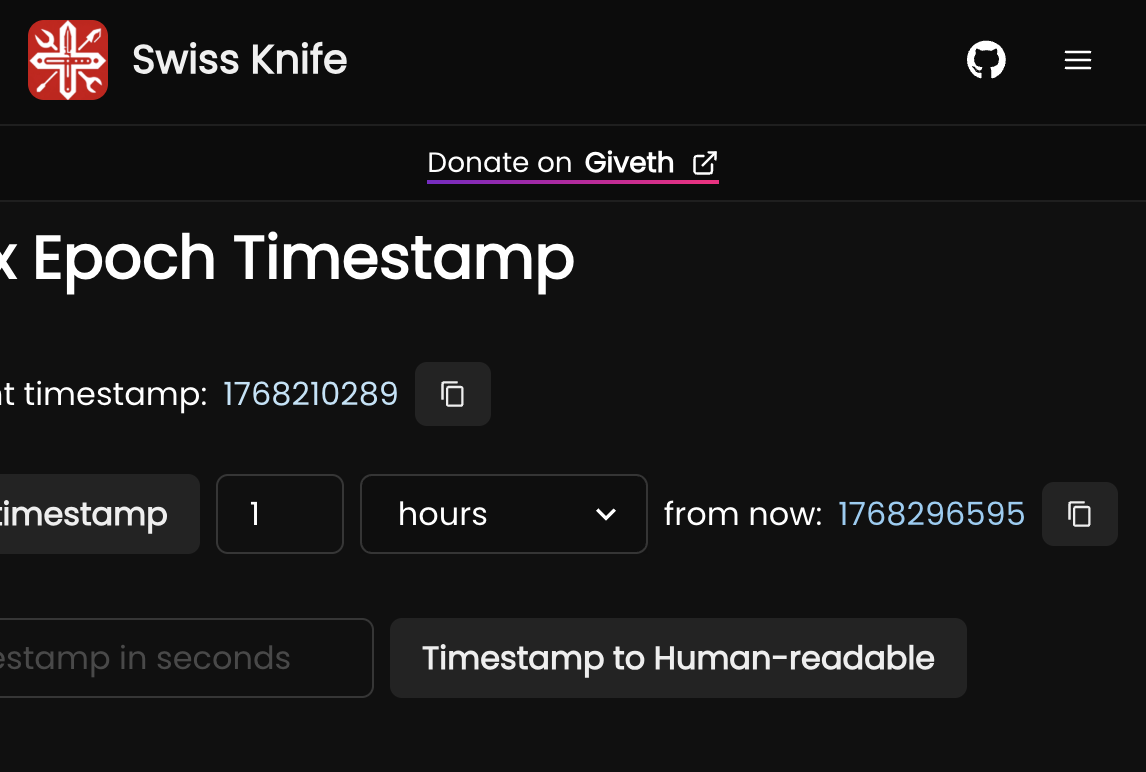
Optional: Calculate the deadline in seconds since epoch

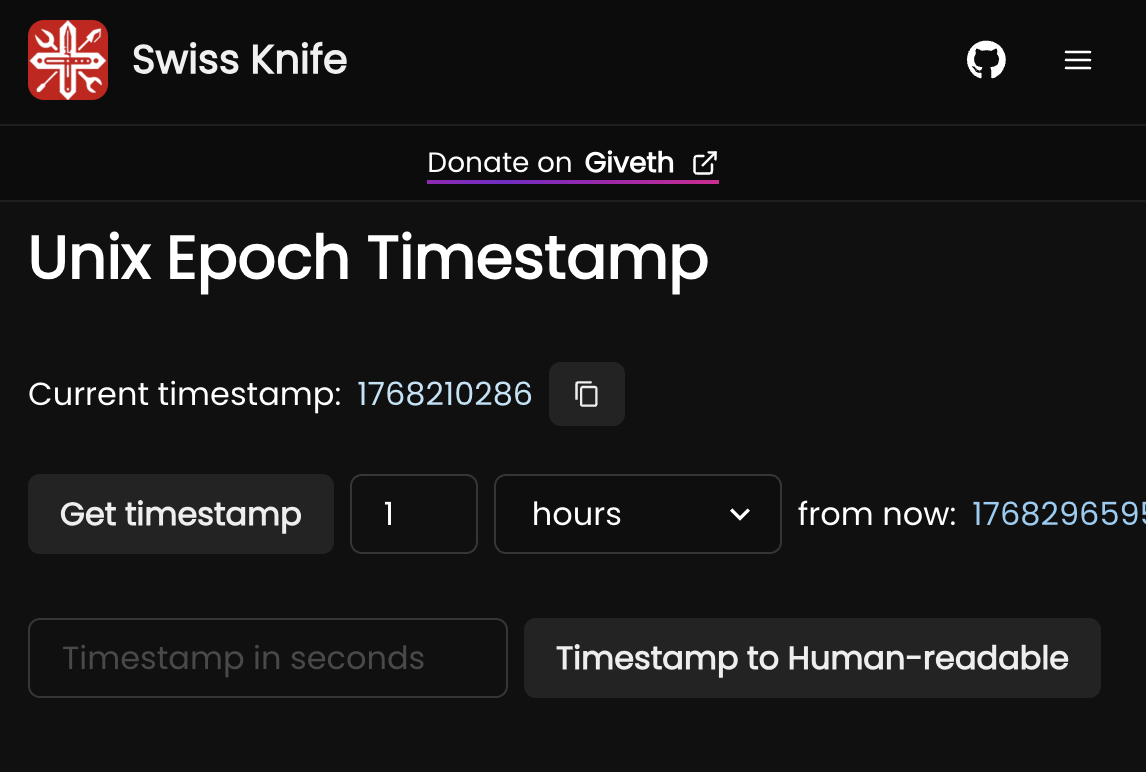
Choose a time in the future using an epoch-converterarrow-up-right. We recommend setting it at least 1 hour from now to allow sufficient time for cosigning. Since the bundle executes atomically, time-limited ERC-20 permits are unnecessary, allowing this timestamp to be set as far in the future as desired. Use this timestamp as the deadline in the next step.

circle-info

DO NOT attempt to retry this transaction before the deadline has passed.

Retrying earlier may result in duplicate operations, unintended consequences, or loss of funds.

Input your desired duration from now

If missing, scroll to the right of the page to see the copy button:

Press [Copy] button
3

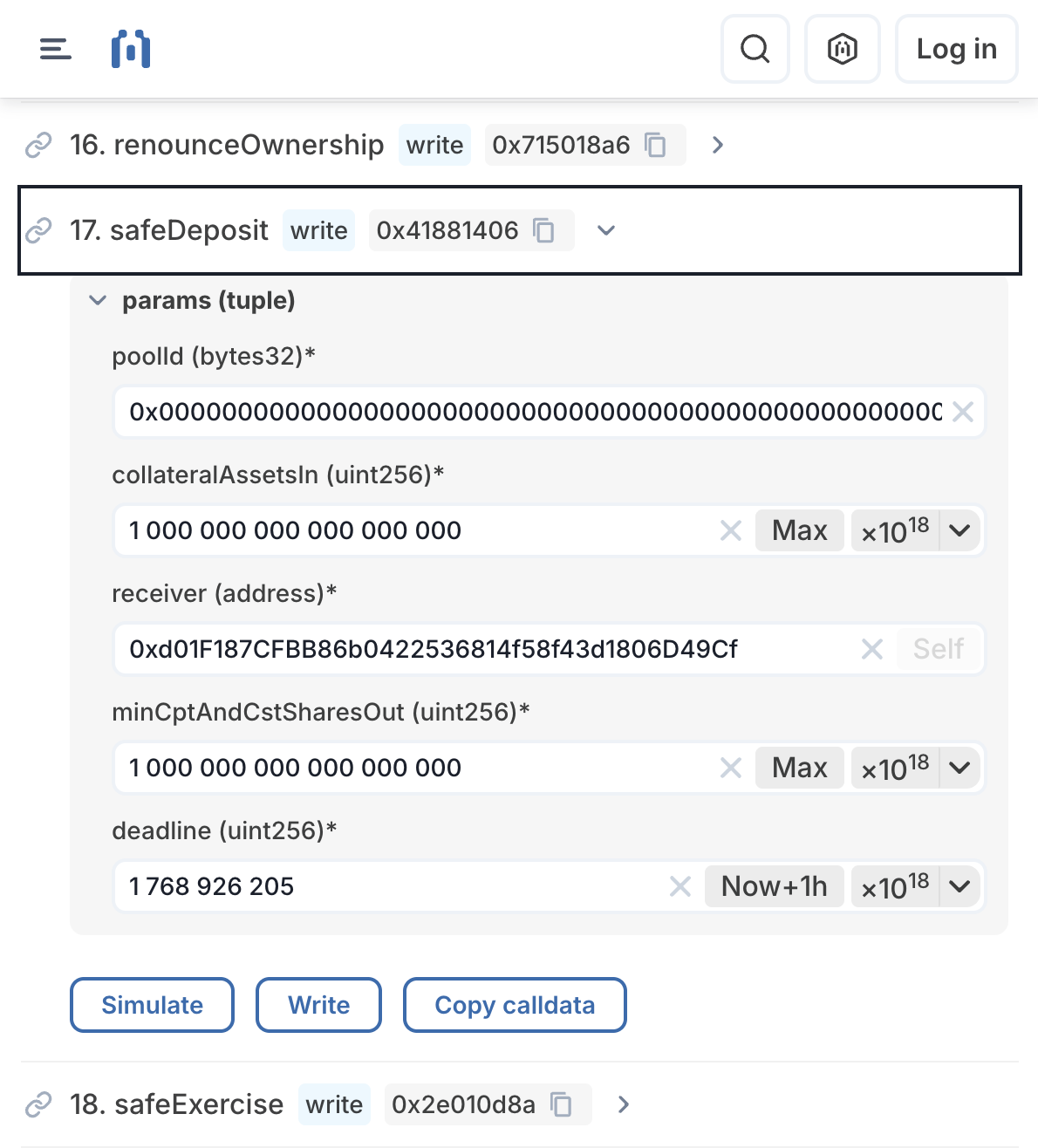
Input SafeDeposit Parameters

Input these parameters into the "safeDeposit" form linked herearrow-up-right:

  • Contract Method: safeDeposit

    • params:

      • poolId (bytes32)

        • The cork pool market id

      • collateralAssetsIn (uint256)

        • The wei amount of collateral assets to deposit. Use [Max] or input the same wei amount being transferred to escrow in Step 2.

      • receiver (address)

        • Your wallet address. Or the address to which shares (cST & cPT) will be minted.

      • minCptAndCstSharesOut (uint256)

        • The amount (non-denominated in wei) of Collateral Asset in Step 2, multiplied by 1018.

        • This guarantees the minimum amount of shares (cST & cPT) to receive.

      • deadline (uint256)

  • Press [Copy calldata].

Input transaction details and press [Copy calldata]
circle-info

DO NOT attempt to retry this transaction before the deadline has passed.

Retrying earlier may result in duplicate operations, unintended consequences, or loss of funds.

4

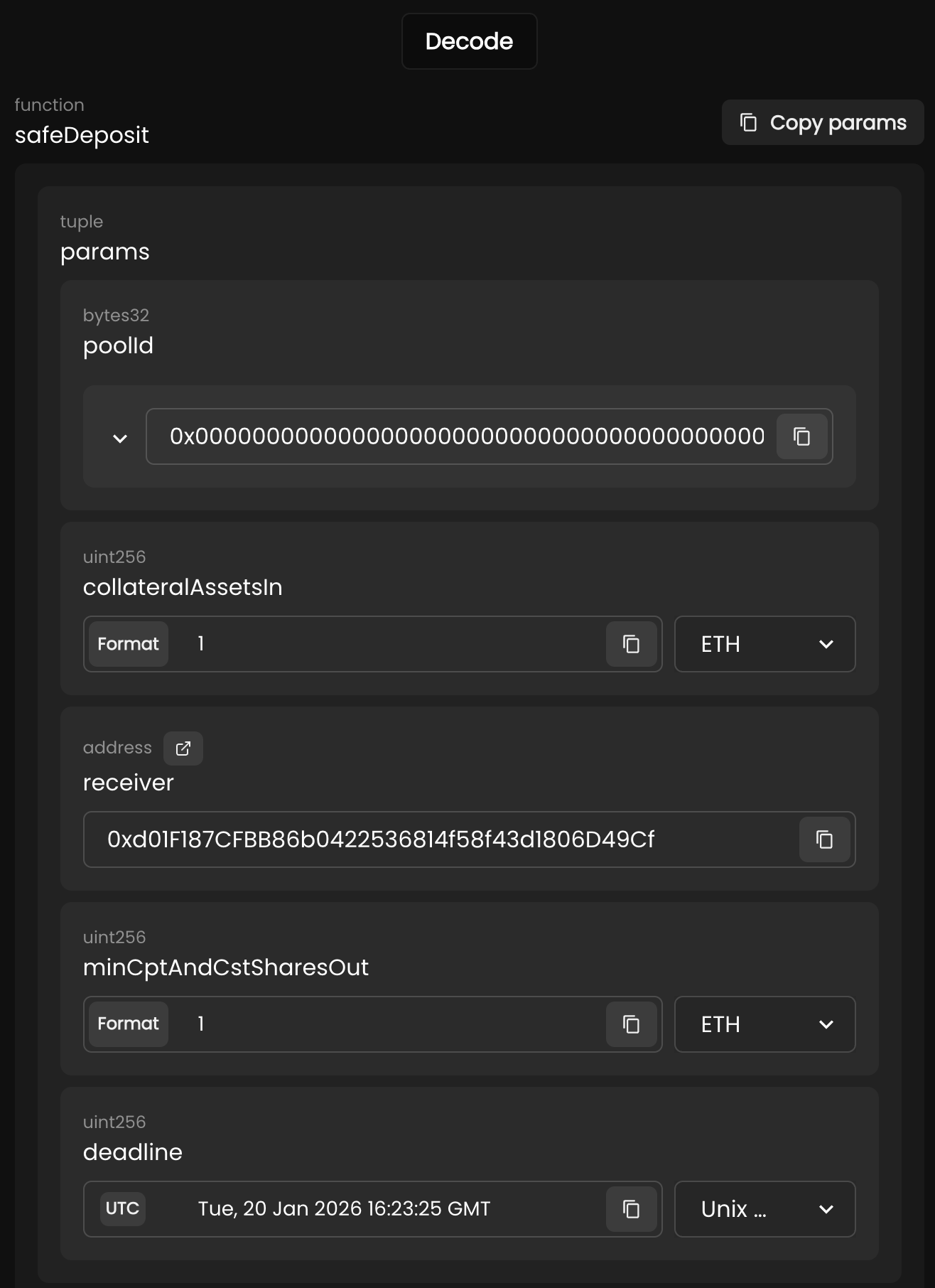
Optional: Verify copied calldata

Copy and paste the calldata into the Calldata Decoder linked herearrow-up-right, and press [Decode] to verify your inputs:

Verify that the values displayed are correct
5

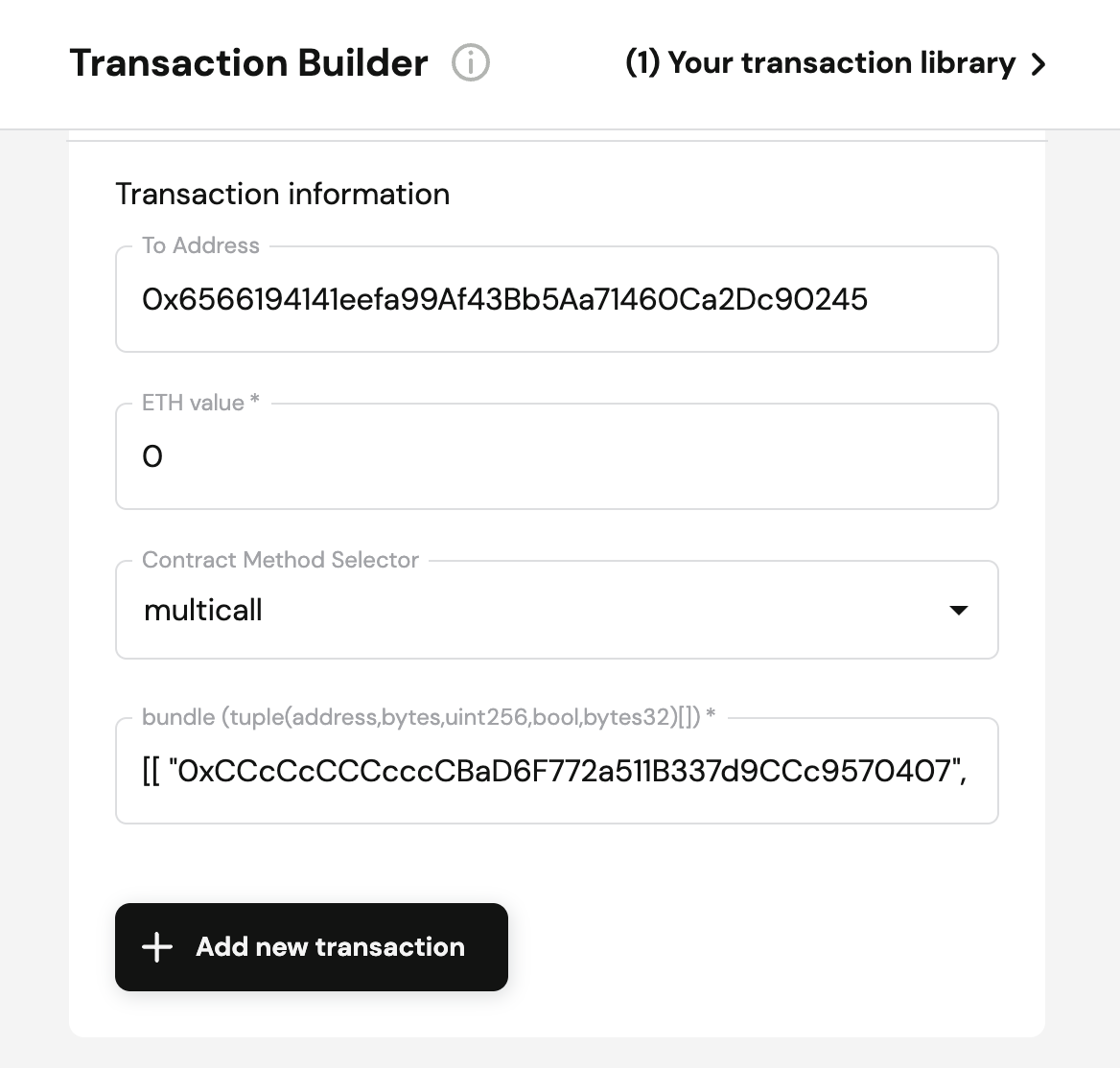
Input Transaction #2 Details

  • To Address (Bundler3arrow-up-right): 0x6566194141eefa99Af43Bb5Aa71460Ca2Dc90245

  • ETH value: 0

  • Contract Method Selector: multicall

  • bundle: [[comma separated values as below within double square brackets...]]

    • "0xCCcCcCCCcccCBaD6F772a511B337d9CCc9570407",

      • The to address is the call target, which is the escrow contract address

    • "<calldata>",

    • "0",

      • The value is the wei amount of ETH or native token to forward. Set to 0 (none) in this case.

    • false,

      • If skipRevert is true, other planned calls will continue executing even if this call reverts. To protect escrowed funds, we must also revert the transfer-to-escrow if the deposit fails.

    • "0x0"

      • The callbackHash should be set to the hash of the reenter bundle data. Set to 0x0 (none) in this case.

  • Example bundle:

Input transaction details under Transaction Information
6

Append Transaction #2

Press [+ Add new transaction] and verify that transaction #2 has been added to the Transactions Batch.

Press [Add new transaction]

Step 4: Create, Review & Simulate Transactions Batch

Press [Create Batch] and follow these instructions:

1

Review and Confirm your Batch

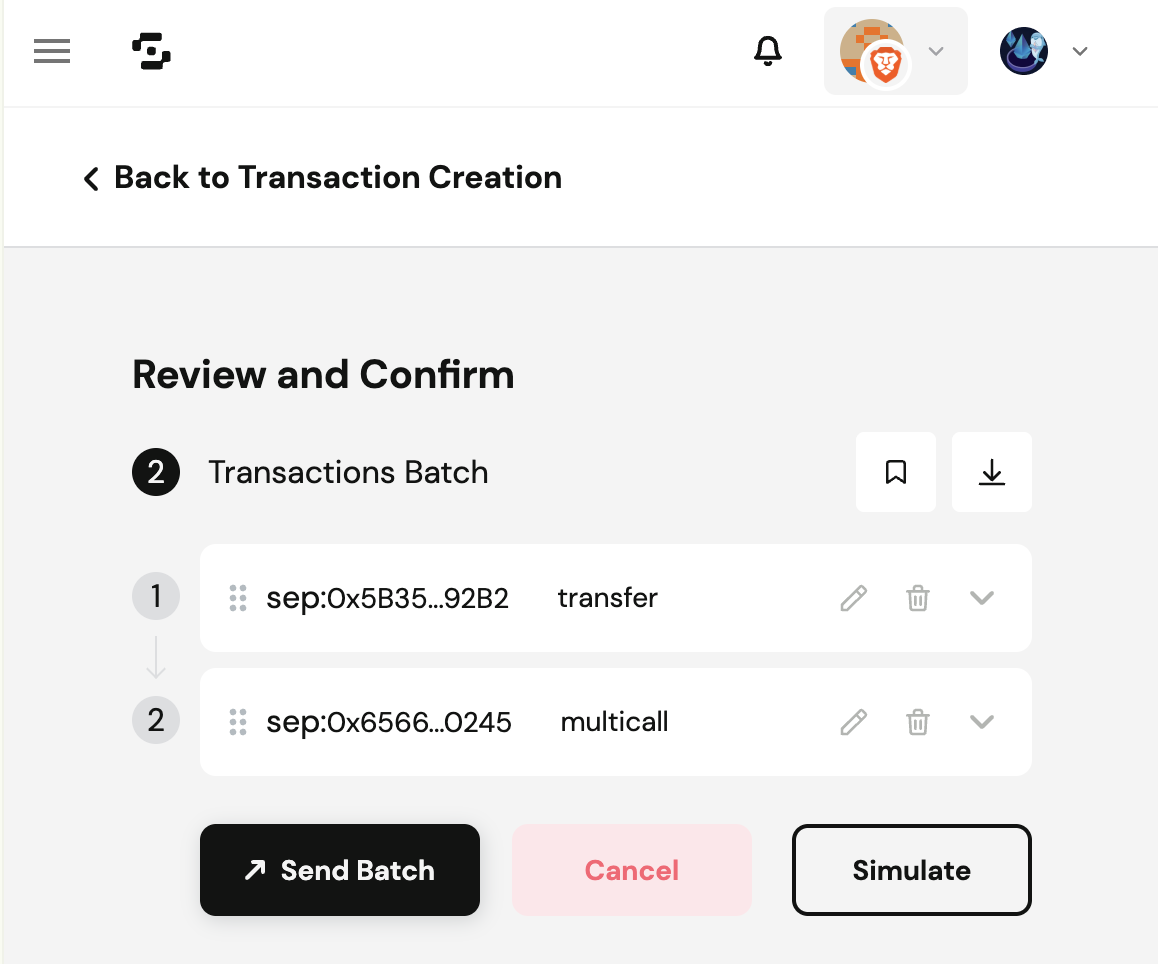
Make sure that you see this "Review and Confirm" screen.

Important: Enable atomic batch if asked by your EIP-5792arrow-up-right capable wallet. Using non-atomic batch mode can lead to lost of funds!

Ensure that there are 2 items (transfer & multicall) in the Atomic Batch
2

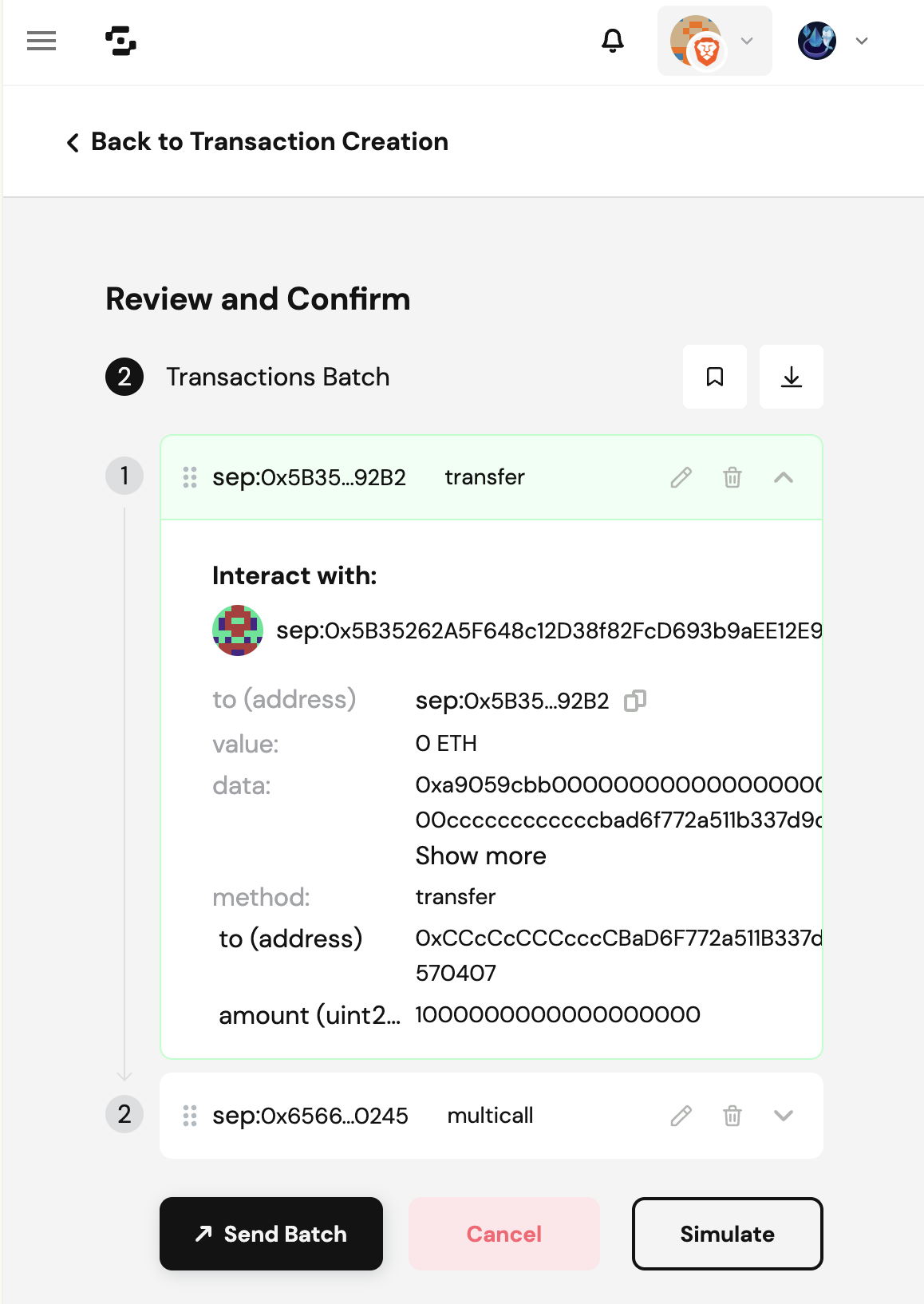
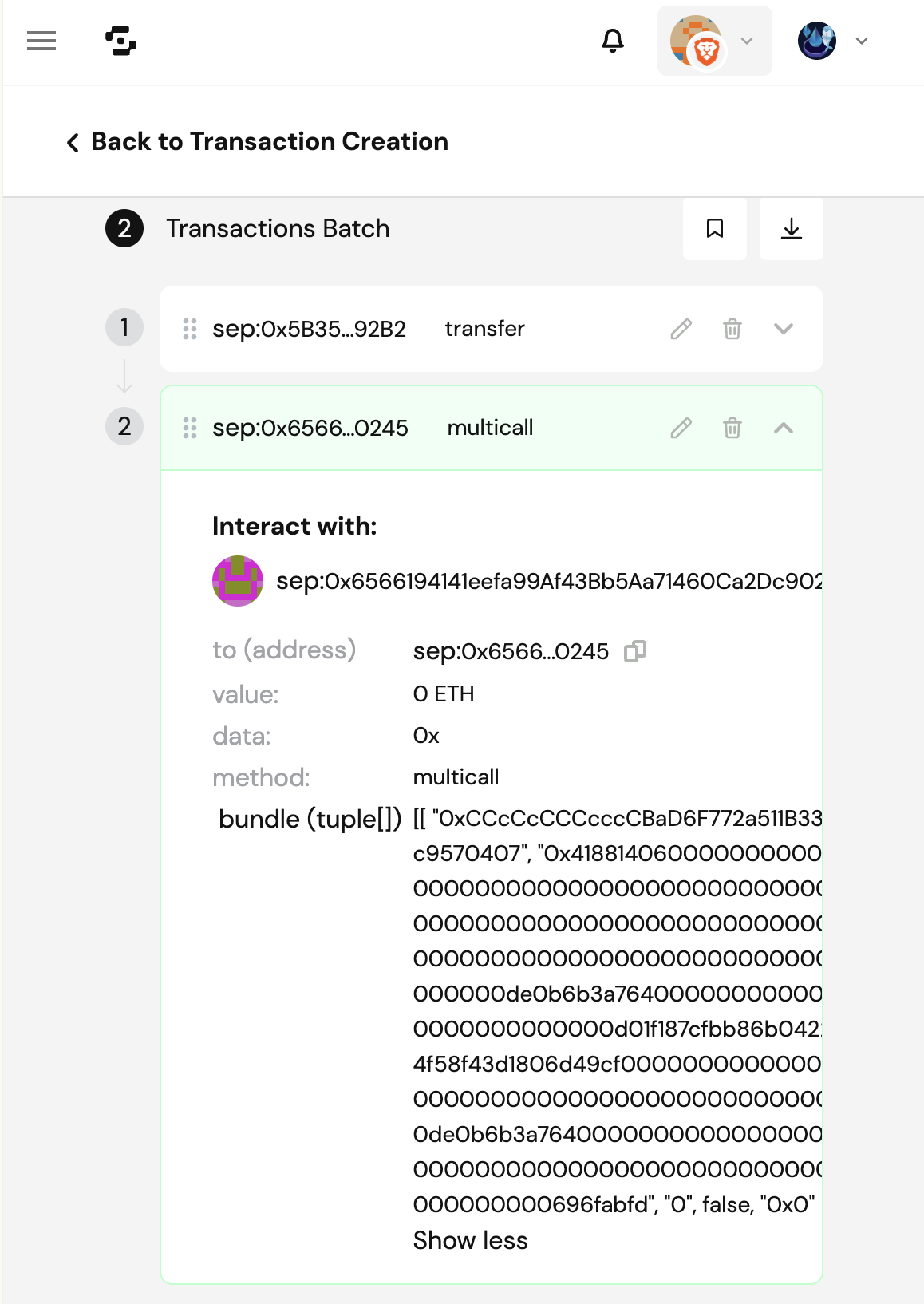
Verify each Transaction in your Batch

chevron-rightAn example of each transaction in the batch:hashtag
Ensure that "method", "to" and "amount" are correct
Ensure that "method" and "bundle" params" are correct
3

Simulate your Batch

Press [Simulate Batch] and ensure that the simulated outcomes are as expected.

circle-info

Cork Phoenix is designed with security as a core principle, going above and beyond on eliminating security footguns:

  • Our escrow smart contract immutably enforce all business invariants at every step of execution.

  • The protocol is architected such that all user actions can be fully simulated and reviewed as a single atomic transaction, enabling straightforward and reliable verification before committing anything onchain. (This also applies to legacy wallets without a builtin bundler.)

  • Key smart contracts have easily identifiable addresses, making review straightforward.

4

Send your Batch

Once you are satisfied with the simulation results, press [Send Batch].

5

Sign and Submit your Batch

Follow the instructions from your connected wallet to sign and submit the batched transaction.


Step 5: Multisig Process on Batched Transaction

If you are not using a multisig, you may skip this step.

If you are using a multisig wallet, ask each co-signer/co-owner to follow these instructions:

1

Select the Batched Transaction in the Wallet Queue

Select the queued transaction and open the list of actions or transactions within the batch.

2

Verify the Calldata of each transaction in the batch

Each cosigner copies the calldata of each action or transaction into a safe decoderarrow-up-right, and verifies that the decoded data contains the correct amounts and addresses.

DO NOT CONTINUE if they do not match!

3

Approve the Batch

Each cosigner ensures that the batch's messageHash , displayed on their signing device (e.g. wallet hardware), matches completely with what is shown within the SAFE wallet app, before signing an approval of the batch.

4

Execute the Batch

Once the threshold of cosigners have approved the batch, one of the wallet owners/cosigners has to execute the batched transaction and pay gas.


Step 6: Wait for Confirmation and Verify token balances

Once the batched transaction is confirmed, follow your wallet-specific instructions to add both cPT (Cork Principal Token) address and cST (Cork Swap Token) address into your wallet to check their balances.

The cPT address and cST address may be obtained by calling CorkPoolManager.shares(poolId) with the Cork Pool id, via either:

  • Etherscan (Closed source): Linkarrow-up-right

  • Blockscout (Open source): Linkarrow-up-right

  • Foundry Command Line:

    • cast call 0xccCCcCcCCccCfAE2Ee43F0E727A8c2969d74B9eC "shares(bytes32)(address corkPrincipalToken, address corkSwapToken)" <POOL_ID> --rpc-url https://eth.drpc.org


Last updated